activecontour
Segment an image from an initial contour mask.
📝Syntax
BW = activecontour(I, mask)
BW = activecontour(I, mask, iterations)
BW = activecontour(I, mask, iterations, method)
BW = activecontour(___, Name, Value)
📥Input Arguments
Parameter Description
I Finite real 2-D grayscale, RGB, or RGBA image. Color images are converted to luminance before segmentation.
mask Initial 2-D contour mask. Numeric masks are converted to logical values.
iterations Nonnegative integer number of evolution iterations. The default value is 100.
method Segmentation method: 'chan-vese' or 'edge'.
Name, Value Supported options are 'Iterations', 'Method', 'SmoothFactor', and 'ContractionBias'.
📤Output Arguments
Parameter Description
BW Logical mask of the segmented region.
📄Description

Segment a finite real 2-D image by evolving a binary initial mask. RGB and RGBA images are converted to luminance, and the alpha channel is ignored. The default method is chan-vese. The edge method uses the same region model with edge-weighted smoothing.

The supported name-value options are Iterations, Method, SmoothFactor, a nonnegative finite scalar, and ContractionBias, a finite scalar in the range [-1, 1]. The default values are 100, chan-vese, 1 and 0.

💡Examples
Segment a bright disk from a small initial mask
[X,Y]=meshgrid(linspace(-1,1,96),linspace(-1,1,96));
I=exp(-9*(X.^2+Y.^2));
mask=false(size(I));
mask(40:56,40:56)=true;
BW=activecontour(I,mask,40);
figure; subplot(1,3,1); imagesc(I); title('Input');
subplot(1,3,2); imagesc(mask); title('Initial');
subplot(1,3,3); imagesc(BW); title('Segmented');
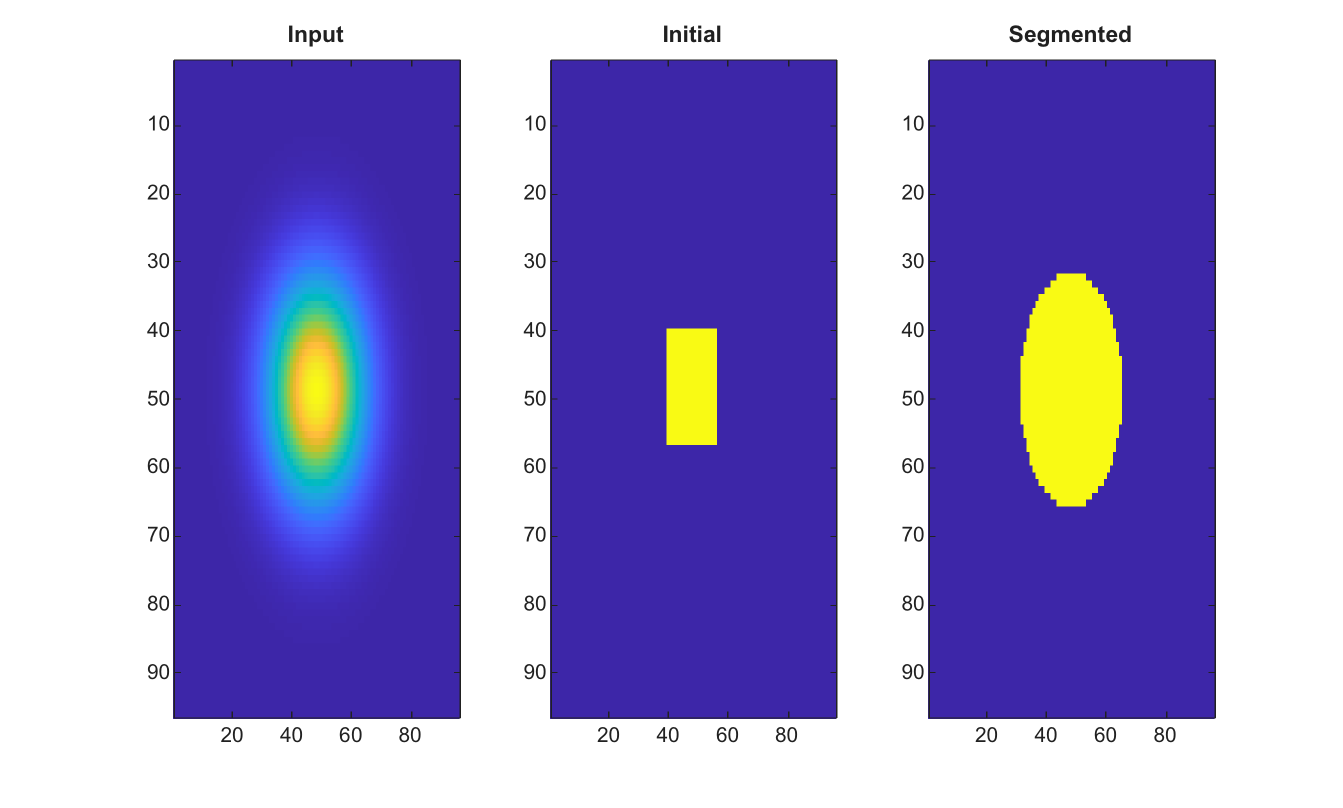
Example illustration
Use edge mode with explicit smoothing
I=zeros(7,7);
I(3:5,3:5)=1;
mask=false(7,7);
mask(4,4)=true;
BW=activecontour(I,mask,'Iterations',8,'Method','edge','SmoothFactor',1,'ContractionBias',0);
🔗See Also
watershedimreconstructgraythresh
🕔Version History
Version Description
2.0.0 initial version
Edit this page on GitHub