Examples
f = figure();
surf(peaks(30), 'EdgeColor', 'none', 'FaceLighting', 'gouraud');
light('Position', [1 -1 1]);
material('shiny');
view(35, 28);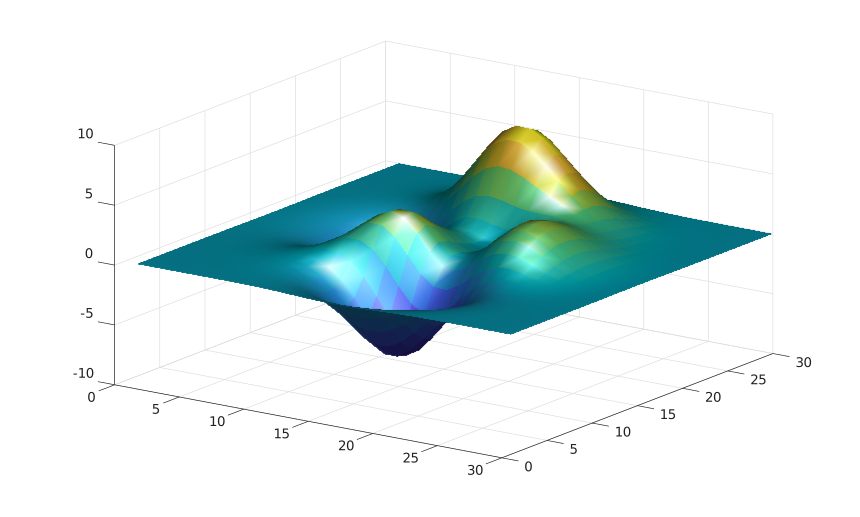
light()
light(ax, ...)
light(..., propertyName, propertyValue)
go = light(...)
| Parameter | Description |
|---|---|
| ax | target axes. |
| propertyName | light property name. |
| propertyValue | light property value. |
| Parameter | Description |
|---|---|
| go | a graphics object: light type. |
light creates a light object in axes. Visible light objects affect surface and patch objects in the same axes when their lighting properties are enabled.
See light properties for the complete property list.
f = figure();
surf(peaks(30), 'EdgeColor', 'none', 'FaceLighting', 'gouraud');
light('Position', [1 -1 1]);
material('shiny');
view(35, 28);| Version | Description |
|---|---|
| 2.0.0 | initial version |