uilamp
Create lamp component.
📝Syntax
h = uilamp()
h = uilamp(parent)
h = uilamp(..., propertyName, propertyValue)
📥Input Arguments
Parameter Description
parent parent container.
propertyName, propertyValue name-value pairs.
📤Output Arguments
Parameter Description
h UI component object.
📄Description

lmp = uilamp creates a lamp, a display-only circular indicator whose Color reflects a state.

💡Examples
Captured UI component for the help image.
f = uifigure('Visible', 'off', 'Name', 'Lamp', 'Position', [100 100 420 260]);
lbl = uilabel(f, 'Text', 'Ready', 'Position', [150 120 80 24]);
lmp = uilamp(f, 'Position', [235 122 20 20]);
lmp.Color = 'green';
drawnow();
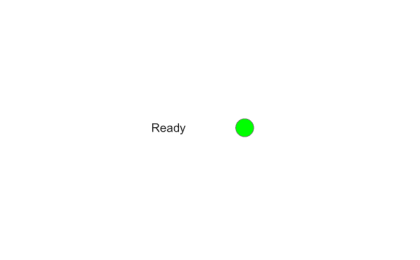
Example illustration
uilamp
f = uifigure();
lmp = uilamp(f, 'Color', 'red');
🔗See Also
uifigure
🕔Version History
Version Description
2.0.0 initial version
Edit this page on GitHub