uieditfield
Create text or numeric edit field.
📝Syntax
h = uieditfield()
h = uieditfield(parent)
h = uieditfield(..., propertyName, propertyValue)
📥Input Arguments
Parameter Description
parent parent container.
propertyName, propertyValue name-value pairs.
📤Output Arguments
Parameter Description
h UI component object.
📄Description

ef = uieditfield creates a text edit field; uieditfield(parent, 'numeric') creates a numeric edit field. Text style: Value (char), CharacterLimits, InputType, ValueChangingFcn. Numeric style: Value (double), Limits, LowerLimitInclusive/UpperLimitInclusive, RoundFractionalValues, ValueDisplayFormat, AllowEmpty. Both: Editable, HorizontalAlignment, Placeholder, ValueChangedFcn.

💡Examples
Captured UI component for the help image.
f = uifigure('Visible', 'off', 'Name', 'Edit fields', 'Position', [100 100 420 260]);
ef = uieditfield(f, 'Position', [95 135 230 24]);
ef.Value = 'Sample text';
nf = uieditfield(f, 'numeric', 'Position', [95 90 120 24]);
nf.Value = 42.5;
drawnow();
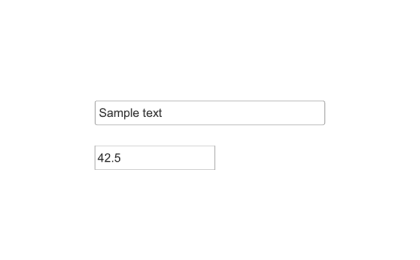
Example illustration
uieditfield
f = uifigure();
ef = uieditfield(f, 'Value', 'hello');
nef = uieditfield(f, 'numeric', 'Limits', [0 100], 'Value', 42);
🔗See Also
uifigure
🕔Version History
Version Description
2.0.0 initial version
Edit this page on GitHub