uidropdown
Create drop-down component.
📝Syntax
h = uidropdown()
h = uidropdown(parent)
h = uidropdown(..., propertyName, propertyValue)
📥Input Arguments
Parameter Description
parent parent container.
propertyName, propertyValue name-value pairs.
📤Output Arguments
Parameter Description
h UI component object.
📄Description

dd = uidropdown creates a drop-down list. Items holds the displayed entries; ItemsData optionally maps each entry to a data value returned through Value. ValueIndex is the 1-based selection index. Editable 'on' lets the user type free text. Callback ValueChangedFcn (event data: Value, PreviousValue, Edited, ValueIndex, PreviousValueIndex).

💡Examples
Captured UI component for the help image.
f = uifigure('Visible', 'off', 'Name', 'Drop down', 'Position', [100 100 420 260]);
dd = uidropdown(f, 'Items', {'Small', 'Medium', 'Large'}, 'Position', [125 115 170 24]);
dd.Value = 'Medium';
drawnow();
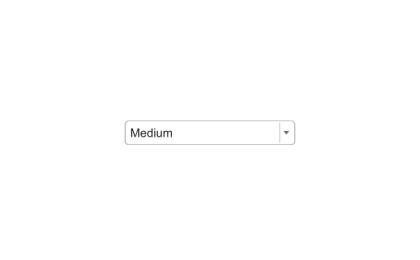
Example illustration
uidropdown
f = uifigure();
dd = uidropdown(f, 'Items', {'Red', 'Green', 'Blue'}, 'ItemsData', [1 2 3]);
dd.Value = 2;
🔗See Also
uifigure
🕔Version History
Version Description
2.0.0 initial version
Edit this page on GitHub