Examples
Preview a folder selection dialog layout.
f = dialog('Name', 'Select a folder', 'WindowStyle', 'normal', 'Position', [100 100 420 250]);
uicontrol(f, 'Style', 'edit', 'String', pwd(), 'Position', [28 186 350 24]);
uicontrol(f, 'Style', 'listbox', 'String', {'src', 'temp', 'exports'}, 'Value', 2, 'Position', [28 70 350 105]);
uicontrol(f, 'Style', 'pushbutton', 'String', 'Select', 'Position', [220 28 70 24]);
uicontrol(f, 'Style', 'pushbutton', 'String', 'Cancel', 'Position', [304 28 70 24]);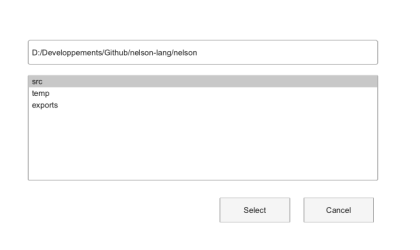
Start directory selection in the temporary folder.
path = uigetdir(tempdir(), 'Select temporary folder');
if ~isequal(path, 0), disp(path); end