Examples
Renderable preview for the help image.
f = figure('Name', 'Confirm preview', 'Position', [100 100 420 260], 'Color', [1 1 1]);
axis([0 1 0 1]); axis off; hold on;
patch([0.06 0.94 0.94 0.06], [0.12 0.12 0.88 0.88], [0.97 0.98 0.99], 'EdgeColor', [0.62 0.65 0.68]);

text(0.16, 0.78, 'Confirm', 'FontSize', 12, 'FontWeight', 'bold');
text(0.24, 0.56, 'Save changes before closing?', 'FontSize', 11);
patch([0.28 0.44 0.44 0.28], [0.25 0.25 0.36 0.36], [0.90 0.94 1.00], 'EdgeColor', [0.25 0.45 0.75]);
patch([0.54 0.70 0.70 0.54], [0.25 0.25 0.36 0.36], [0.95 0.95 0.95], 'EdgeColor', [0.55 0.55 0.55]);
text(0.36, 0.30, 'Yes', 'HorizontalAlignment', 'center', 'FontSize', 10);
text(0.62, 0.30, 'No', 'HorizontalAlignment', 'center', 'FontSize', 10);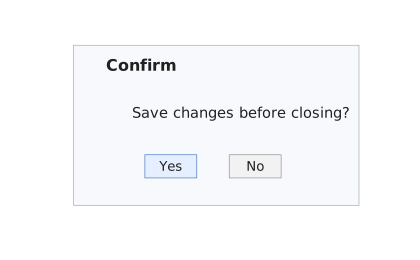
Ask a basic confirmation question.
f = uifigure('Visible', 'off', 'Name', 'Close');
answer = uiconfirm(f, 'Close the window?', 'Confirm');
close(f);
disp(answer)