dialog
Creates a dialog figure window.
📝Syntax
f = dialog
f = dialog(Name, Value)
📥Input Arguments
Parameter Description
Name, Value Figure property name-value pairs. dialog applies MenuBar = 'none', ToolBar = 'auto', NumberTitle = 'off', Resize = 'off', and WindowStyle = 'modal' before user-supplied properties. Common properties include 'Name', 'Position', 'Visible', 'WindowStyle', 'Resize', and 'CloseRequestFcn'.
📤Output Arguments
Parameter Description
f Graphics figure handle.
📄Description

dialog creates a graphics figure configured for dialog content. The returned handle can be used with get, set, close, delete, and waitfor.

💡Examples
Create a dialog with controls.
f = dialog('Name', 'Settings', 'WindowStyle', 'normal', 'Position', [100 100 300 150]);
uicontrol(f, 'Style', 'text', 'String', 'Dialog content', 'Position', [30 82 150 22]);
uicontrol(f, 'Style', 'pushbutton', 'String', 'Close', 'Position', [200 30 70 24]);
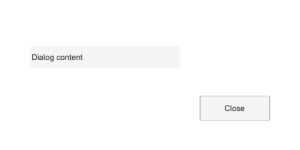
Example illustration
Create a dialog with a title and close it.
f = dialog('Name', 'Progress', 'Visible', 'off', 'Position', [300 300 240 100]);
close(f)
🔗See Also
msgboxwaitbar
🕔Version History
Version Description
2.0.0 Updated dialog API help.
Edit this page on GitHub