Examples
Mesh with contours.
meshc(peaks(30));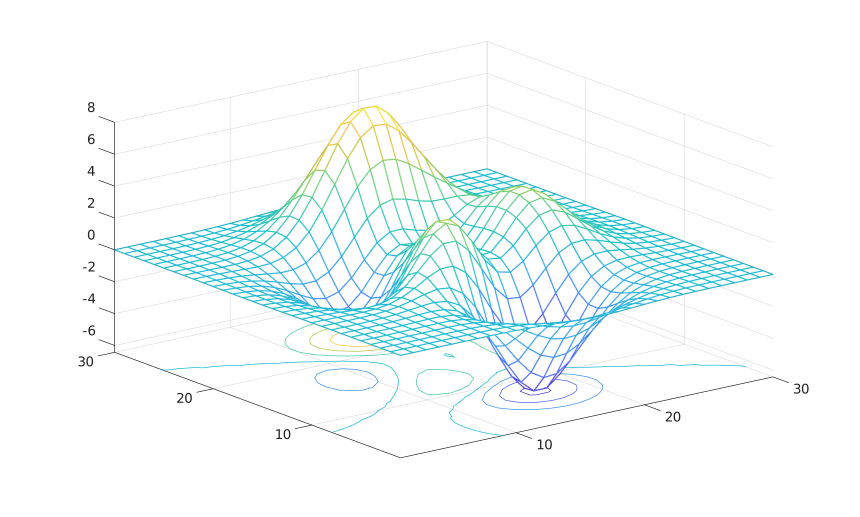
Use separate color data and a parent axes.
f = figure();
ax = axes('Parent', f);
Z = peaks(20);
C = abs(Z);
meshc('Parent', ax, Z, C, 'LineWidth', 1.5);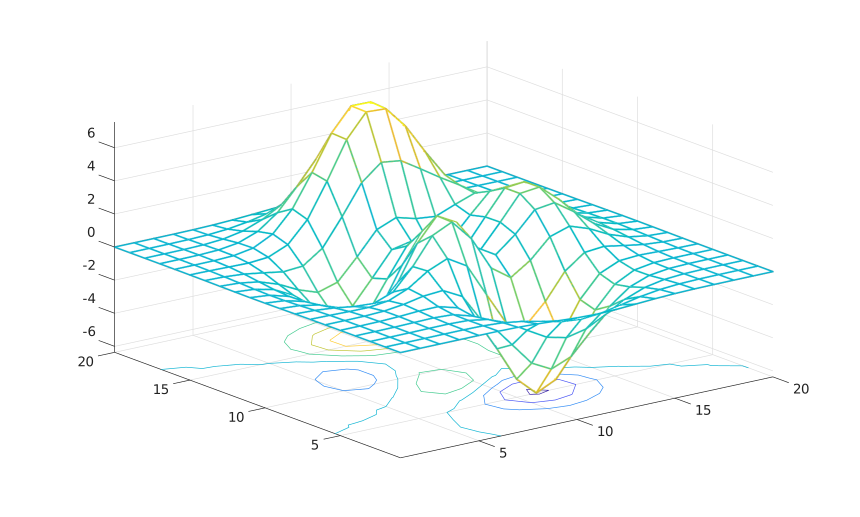
meshc(Z)
meshc(Z, C)
meshc(X, Y, Z)
meshc(X, Y, Z, C)
meshc(parent, ...)
meshc('Parent', parent, ...)
h = meshc(...)
meshc displays a mesh and contour lines projected at the base of the mesh.
The returned value is a two-element graphics vector containing the surface object followed by the contour object.
meshc(peaks(30));f = figure();
ax = axes('Parent', f);
Z = peaks(20);
C = abs(Z);
meshc('Parent', ax, Z, C, 'LineWidth', 1.5);